Reattach a disconnected data source
A data source becomes disconnected from a case when it is moved or renamed, or when the case is exported to Evidence Reader and opened on another computer. This article explains how to reattach it.
What happens when a data source is disconnected
The case still contains the data extracted during analysis, but you cannot browse the original file system, examine files in the Hex viewer or format-specific viewers, or view media files, unless you saved them to the case database.
Belkasoft X flags a disconnected data source with a red exclamation mark in the Dashboard, Artifacts, and File System windows. In the Artifacts window, selecting an artifact also displays a warning in the Hex viewer on the Tools tab.
Reattach the data source
You can reattach a data source from the Dashboard, Artifacts, or File System window.
Note: If the data source contains nested data sources, reattach the parent.
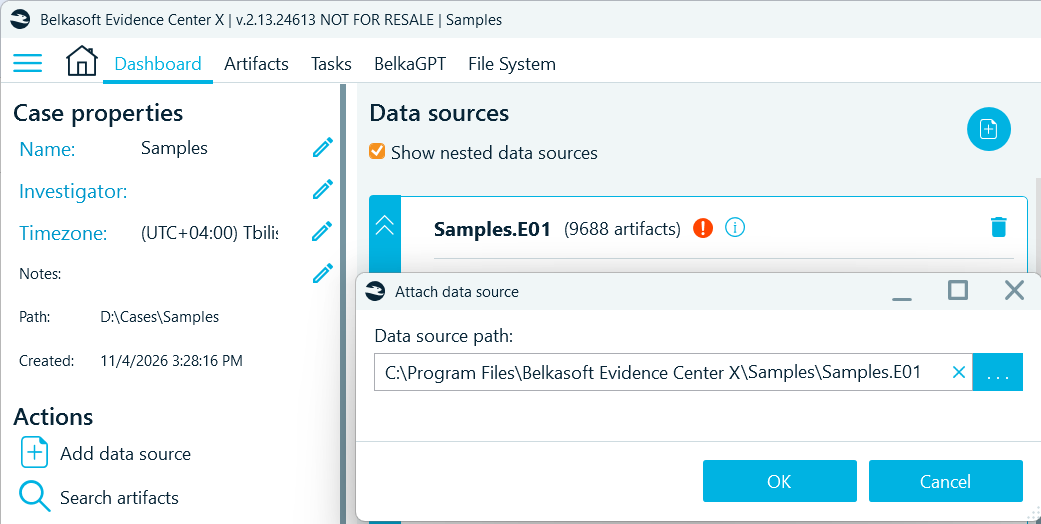
From the Dashboard
- In the Dashboard window, double-click the red exclamation mark on the data source.
- Browse to the current location of the data source and select it.
From the Artifacts window
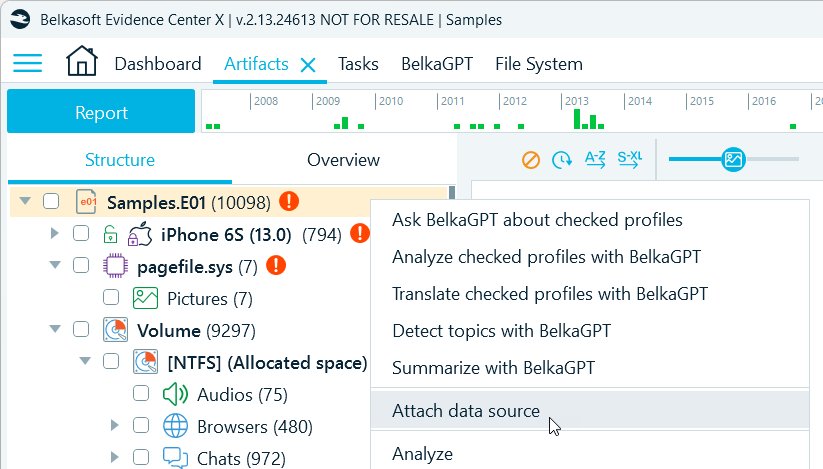
- In the Artifacts window, right-click the data source and select Attach data source.
- Browse to the current location of the data source and select it.
From the File System window
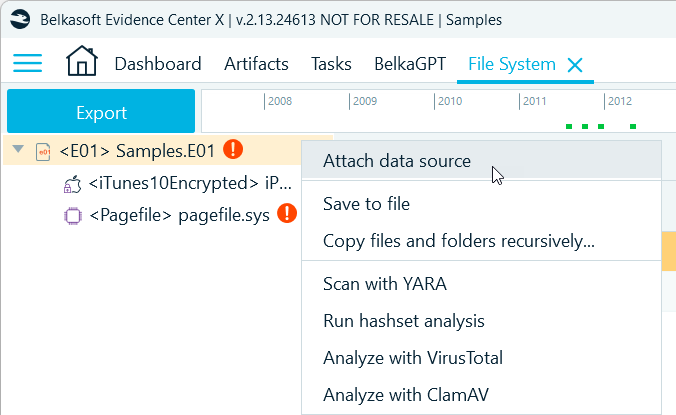
- In the File System window, right-click the data source and select Attach data source.
- Browse to the current location of the data source and select it.
After you reattach the data source, Belkasoft X reinitializes its file system and restores access to the source files. You can then browse the original file system and examine files in the Hex viewer or format-specific viewers.