Forensic analysis of files and memory processes in Belkasoft Evidence Center 2017
Belkasoft Evidence Center (or BEC) is an all-in-one digital forensic product, which helps investigators to acquire, extract and analyze digital data. The product offers out of the box analysis of hundreds of important artifacts (such as documents, emails, pictures and videos, chats and browser links, registry and system data, etc), as well as low level analysis of files and processes.
In this article we will discuss how BEC supports the second type of analysis: low level investigation of files and processes.
Sign up to the free webinar on BEC 2017: https://belkasoft.com/webinar
File System and File Analysis with BEC 2017
You start your investigation by acquiring data from a data source. BEC supports acquisition of hard or removable drives, computer RAM memory, mobile devices and cloud data:
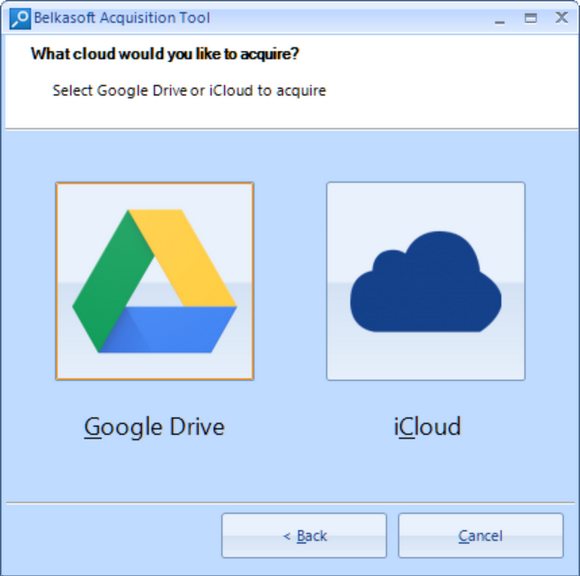
BEC is able to acquire Google cloud and iCloud
Besides, you can also add already acquired data, such as a mobile phone dump or a backup, a folder, a virtual machine file and so on. In the screenshot below, we add an E01 image:
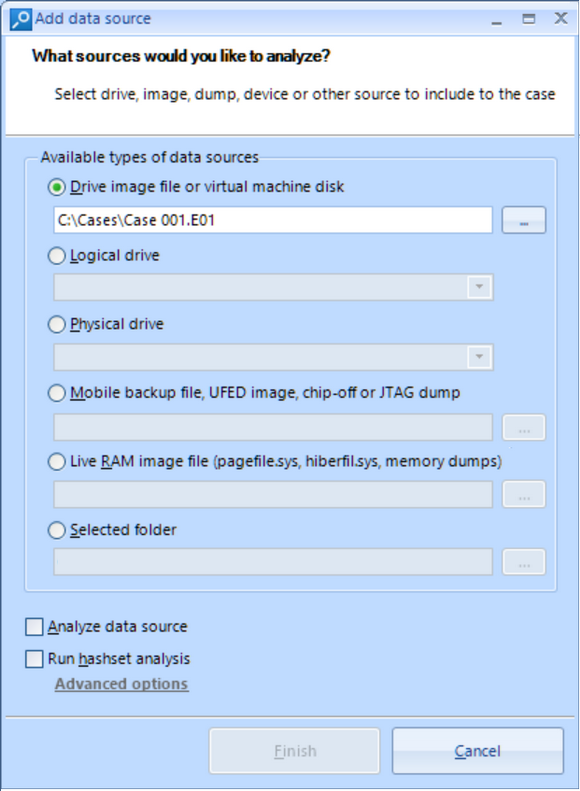
All popular types of images are supported, including EnCase, FTK, UFED and X-Ways
The product asks whether you would like to analyze the image or not. Here, "analysis" means out of the box extraction of 700+ types of artifacts BEC supports, such as the above-mentioned ones. We do not need this now, thus the checkbox is not ticked in order to save time by skipping out of the box analysis.
Once a data source is added to the case, it immediately appears in the File System Explorer window. This window allows you to see the volume, partition and folder structure of the data source. BEC allows you to see all folders, including hidden and system ones:
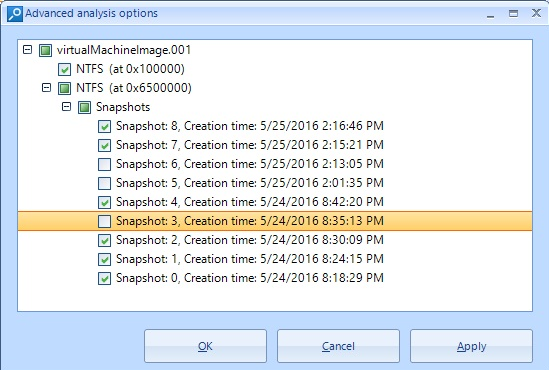
Particularly, BEC allows you to analyze all or selected VCS snapshots
You can select any folder and inspect its contents in the File list on the right. Besides, you can right click on a folder and select "Copy files recursively" what helps you to unpack a part of image or mobile device backup to the host computer for further analysis with other tools:
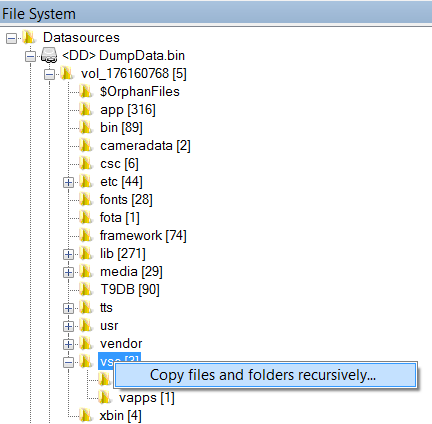
Why extract contents of an entire phone? Extract only needed folders with BEC
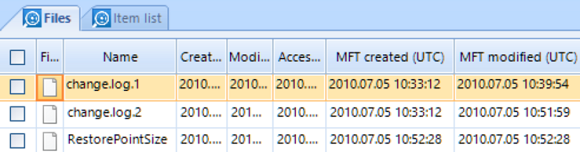
File list shows you all files, including deleted ones, and allows filtering by different criteria. In particular, you can sort and filter by various types of time stamps, including specific NTFS times such as "MFT created":
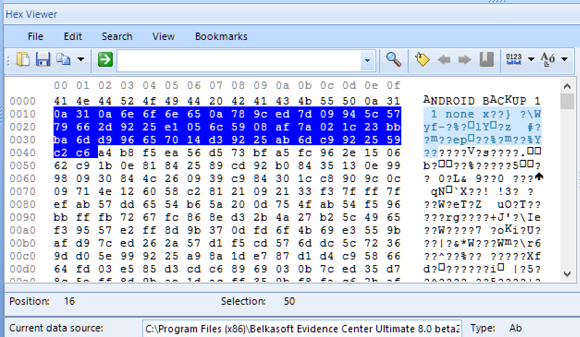
When a file is selected in the File list, its binary content is shown in the HexViewer window of Evidence Center. HexViewer shows hex values of the file contents along with its string representation at the right. You can go to a specific offset, search for hex or text, select block of bytes and save it to a file, or copy it.
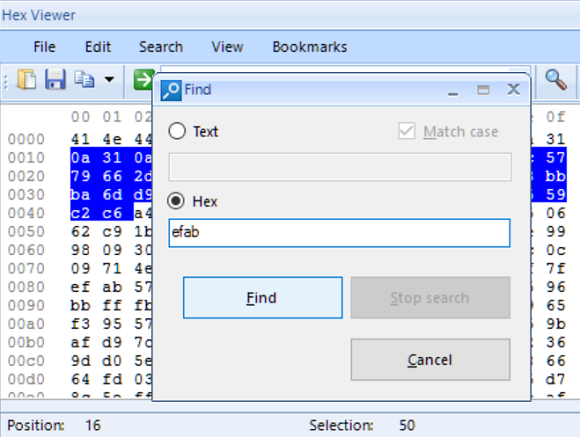
These capabilities allow you to do custom carving by searching a signature inside HexViewer and then saving block of bytes following this signature to a file. It is important to mention that you can review the entire image or partition contents in the HexViewer by selecting it in File System Explorer window. Thus you can do search and custom carving inside the entire image or partition.
If you work with a file of unknown structure, two Belkasoft features will help you to effectively unveil that structure. First, you can create bookmarks of different colors to give a meaning to various groups of bytes. To do so, create a bookmark and edit it by clicking Edit bookmark button. In the open window you can specify a color and give a description. The color markup will help you to make various hypothesis on the meaning of different byte groups.
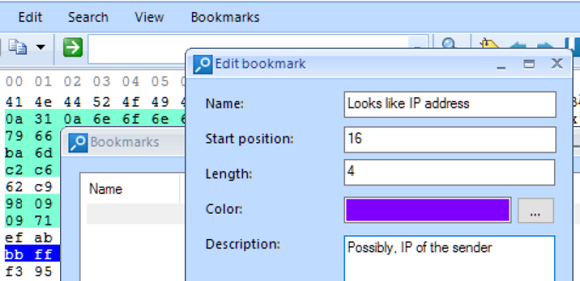
You can give bookmark a name, a color and a description
Note, that HexViewer bookmarks are persistent, so you will find them at the same place when you reopen the case and select the same file.
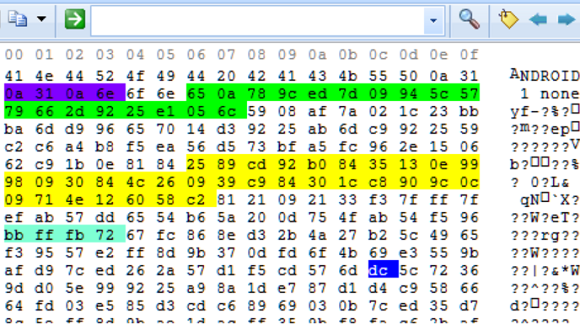
BEC allows you to easily navigate between bookmarks in HexViewer with arrow buttons
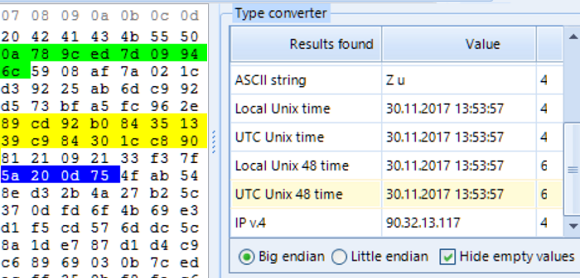
Second, you can select a group of bytes and see different interpretations of these bytes in Type Converter screen. Type Converter shows you how the selected group of bytes can be interpreted as ANSI or Unicode string, fixed or floating integer, Unix time, IP v.4 or v.6 and so on. You can change the byte interpretation order (known as Big Endian or Little Endian):
Live RAM Process Analysis with Belkasoft
BEC allows you to acquire a running Windows machine's live memory (RAM) using free Belkasoft Live RAM Capturer tool, which is included into your BEC installation. In order to analyze an acquired RAM dump, add it to the case using "Live RAM image" option:
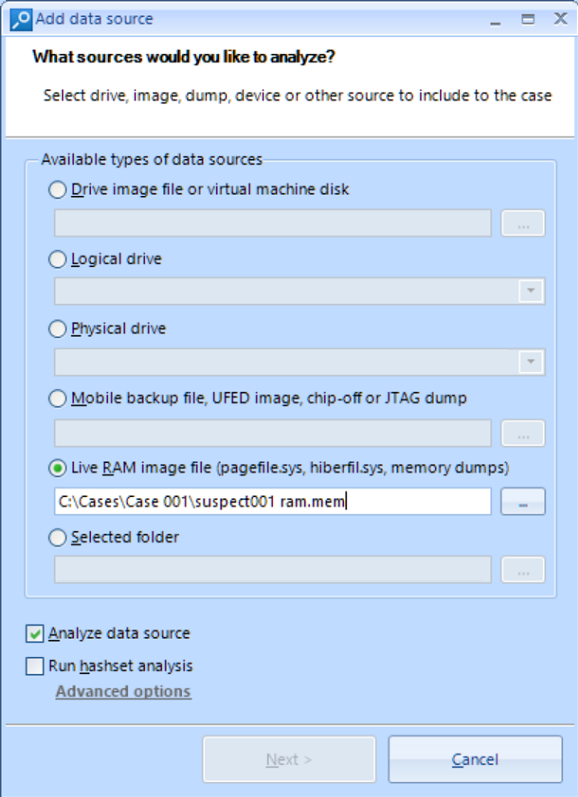
BEC will successfully analyze the dump, regardless of whether it was created with Belkasoft or any other third-party tool. At the second page select all artifacts and click "Advanced carving options". If you like to extract processes, select "BelkaCarving" option here. If you only need to extract artifacts out of memory dump, do not check this option.
After the analysis process is completed, the "File System" tab shows you all extracted processes which were running at the moment of dump creation and even recently finished:
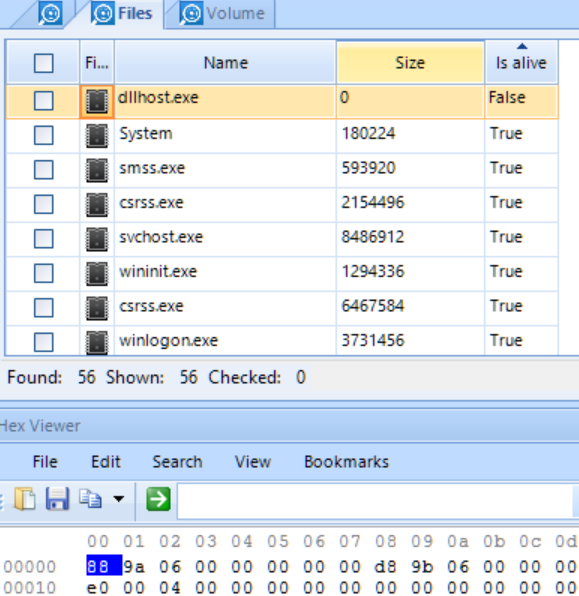
Note, that BEC shows not only live processes, but dead ones also, that is, unloaded
by the time of making a memory dump
Likewise with files, if you select a process in the list of processes, BEC shows you its binary contents in the HexViewer window, which allows you to do the same things like search, selection and saving of groups of bytes to a file, bookmarking, type conversion and so on.
Apart from low-level binary analysis of RAM processes, BEC can carve RAM data for hundreds of various applications. The list of apps is different than those for hard drives because in RAM it is possible to find even data never stored on a hard drive, such as Facebook chats, Gmail emails, sites visited in InPrivate/Incognito modes and so on.
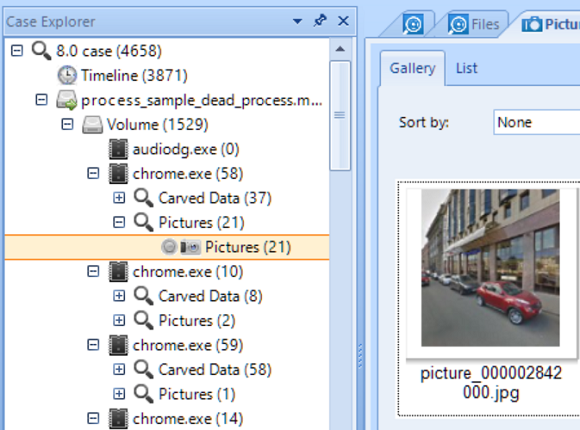
If you have selected "BelkaCarving" option, all found artifacts are broken per process in the Case Explorer window:
You can also review them conveniently without grouping by process in the Overview window:
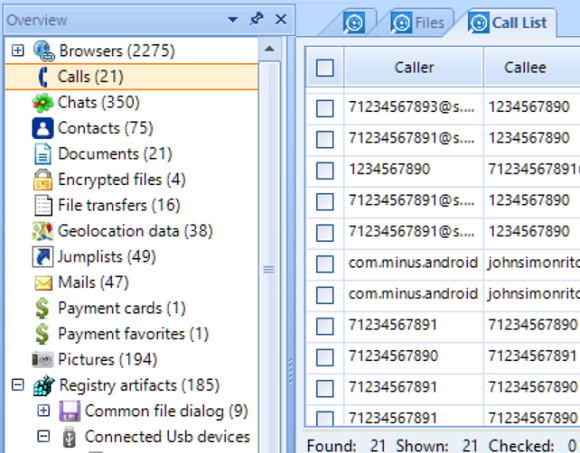
In Overview, artifacts grouped by artifact type only, which eases review of all
artifacts of the same type.
Low Hanging Digital Forensic Fruits Analysis
As shown above, BEC effectively solves different tasks of low level file system and RAM analysis. However, in most of the cases you can avoid performing this time-consuming work. BEC can extract hundreds of artifacts for you out of the box which alone can solve most of cases. Among automatically extracted artifacts are:
- Office documents (including Open Office)
- Emails and webmails
- Pictures
- Videos
- Mobile apps
- Web browsers
- Chats and Instant messengers
- Social network communications
- System files including jumplists, thumbnails, TOAST notification, event logs, etc
- Registry files
- Encrypted files and volumes
- SQLite databases
- Plist files
- and some more
Apart easily analyzing existing files, the product does less obvious work of recovering deleted data, carving individual artifacts, restoring freelist, WAL and unallocated data from SQLite, analyzing Live RAM, detecting faces, scanned texts, skin and forgery on pictures and videos, extract keyframes from videos, analyze Volume Shadow Copy, and decrypts encrypted iTunes backups.
All these types of analysis and artifacts are supported for Windows, Mac OS, iOS, Linux, Unix, Android, Blackberry and some other operating systems.
Sign up to the free webinar on BEC 2017: https://belkasoft.com/webinar
- Download free 30-day trial of the product: https://belkasoft.com/trial
- More info on product: https://belkasoft.com/ec
- Short video tutorials: https://belkasoft.com//tutorials
- Belkasoft articles on forensics: https://belkasoft.com/articles
- Request a quote: https://belkasoft.com/quote
- What's new in BEC 2017: https://belkasoft.com/bec2017