Scaling Your DFIR Practice: Choosing the Right Digital Forensic Tools for Small Teams
Small and medium-sized organizations (SMBs) face the same sophisticated threats as enterprise giants—ransomware, business email compromise, and data exfiltration. However, most lack the specialized internal staff to investigate these incidents, leading them to look toward trusted IT partners for more than just uptime. This shift has turned digital forensics from a niche specialty into a critical requirement for (MSPs) and boutique DFIR firms, creating a high-margin opportunity to offer Digital Forensics and Incident Response (DFIR) as a premium service.
For MSPs entering this space, the primary challenge is not just technical—it is capacity. In a service-based model, time is your most precious asset. Every hour spent manually parsing logs or switching between disparate tools is an hour you cannot bill to another client or use to close a new engagement. When a single incident spans endpoints, cloud mailboxes, and mobile devices, a fragmented toolset becomes a bottleneck that drains profitability.
Choosing the right forensic software is a strategic business decision. It allows a compact team to move from initial alert to defensible findings faster, ensuring consistent service delivery and high-quality reports that justify your forensic fees. In this article, we will cover what to look for in digital forensic tools when you run a compact DFIR practice. We will also show how Belkasoft X can support triage, investigation, and reporting in service-driven environments.
The operational challenges of small DFIR service teams
Unlike internal corporate teams, smaller service providers work across multiple matters, client environments, and evidence sources. One case may focus on suspicious endpoint activity, another on phishing emails, and a third on both, plus data exfiltration. At the same time, many of their customers have limited, if any, telemetry, so investigators often need to rely on their own toolkit to establish what happened.
The combination of a time crunch and a lack of data and tools puts real pressure on speed and consistency: customers need clear answers fast so they can scope the incident, plan containment, brief management, and meet legal or compliance requirements. Open-source tools such as Autopsy or purpose-built scripts are excellent for specific tasks. However, these tools often lack the integrated workflow a high-volume service model requires. Without a unified platform, teams typically face:
- Manual cross-checking: Moving and corroborating data between tools means manually verifying that the same artifact—for instance, a browser history entry or specific log event—appears consistently across a parser, a timeline view, and a report. Gaps and errors are easy to miss.
- Tool fatigue: Switching between five different tools to handle a single case drains productivity and scales poorly when you are managing several matters at once.
- Support gaps: When a tool breaks or an OS update changes an artifact location, you cannot wait for a community patch while a client's business is down.
A digital forensic toolkit for a service team should do more than just extract data: it should help preserve data integrity, connect evidence across sources, and turn findings into usable results quickly.
How to evaluate forensic software for a small team
When you choose forensic software for a compact DFIR practice, focus on the points that affect daily work.
1. Coverage of common evidence sources
Start with your case mix. If you mostly handle ransomware, account compromise, internal misuse, or data exfiltration, you will usually need support for computer and mobile applications, email, user activity artifacts, and common file formats. If you also take on mobile matters, that should be part of the same evaluation. A broader platform reduces tool switching and simplifies training.
2. Speed of triage and review
For a small service team, speed directly affects capacity. Look for features that help you identify relevant evidence early, filter noise, search large datasets, and reconstruct activity without building everything by hand. This is where "time to evidence" matters most. The faster you can reach reliable findings, the more cases your team can support.
3. Ease of use
A tool does not help much if only one specialist can operate it. Small teams cannot afford a six-month learning curve. You need software that is intuitive enough for a Tier 2 technician to perform basic triage, while still offering the depth required by a senior forensic lead. Consistent UI and guided workflows reduce human error and lower training costs.
4. Reporting and evidence sharing
Apart from mitigation, your product is the report. It must be professional, easy for non-technical stakeholders to understand, and legally defensible. Furthermore, the ability to share evidence with clients or legal counsel for review—without requiring them to buy a license—is a significant value-add.
5. Support, training, and licensing
Fluctuating case volumes require predictable costs. Avoid per-case or per-gigabyte pricing models that will eat into your margins. Look for transparent, flat-rate licensing and responsive vendor support that would not leave you stranded during a critical incident.
When evaluating options, you can use the following summary as a checklist:
| Criterion | Key evaluation points | Why it matters |
|---|---|---|
| Ease of Use | Intuitive interface, minimal learning curve, automated processes. | Small security companies often lack dedicated forensic experts; ease of use enables existing staff to perform basic investigations. |
| Data Sources and Features | Supports common operating systems (Windows, Mac, Linux), mobile devices (iOS, Android), cloud services, and email formats. | A single, multi-purpose tool reduces the need for multiple specialized tools, saving cost and simplifying workflow. |
| Cost-Effectiveness | Transparent pricing, flexible licensing (monthly/yearly), and good ROI compared to potential breach costs. | Service providers operate with constrained budgets; balancing initial investment with long-term value and avoiding exorbitant recovery costs is key. |
| Support and Training | Responsive customer support, accessible training resources (online courses, documentation). | Ensures that the constrained team can effectively implement and utilize the software, overcoming technical challenges without extensive in-house expertise. |
| Scalability | Handles varying data volumes and complexity, suitable for growth. | Allows the software to remain effective as the business expands or the incident scope increases. |
| Reporting Capabilities | Customizable, clear, and admissible report generation. | Facilitates communication of findings for internal review, legal purposes, or insurance claims. |
| AI Capabilities | Multimodal evidence analysis, natural-language investigation support, source-verifiable AI outputs, and on-premise deployment. | AI helps investigators find relevant information, analyze evidence, and answer investigative questions across text, pictures, video, and audio evidence more efficiently. Results remain traceable to source artifacts. Offline operation ensures that sensitive data never leaves the secure investigation environment. |

Introducing Belkasoft X: The all-in-one forensic solution
Belkasoft X is designed as a unified digital forensics and incident response platform that suits teams needing a single environment for many types of investigations. It eliminates the friction of moving evidence between different tools. Your team can collect, review, correlate, and report from one platform instead of stitching together multiple tools for each case.
Here are some of the features :
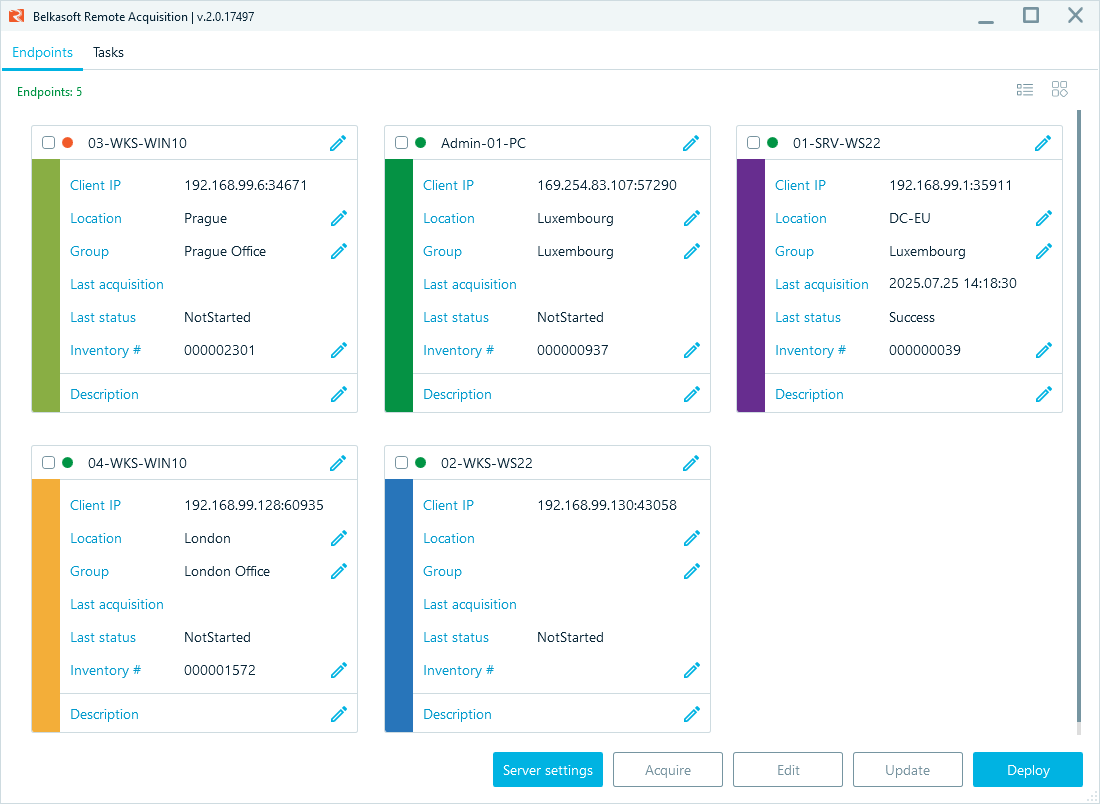
- Remote acquisition: With Belkasoft R, you can extract physical or logical drive images, specific artifacts, or RAM, and acquire iOS and Android mobile devices remotely—with an option of one-shot client installation.
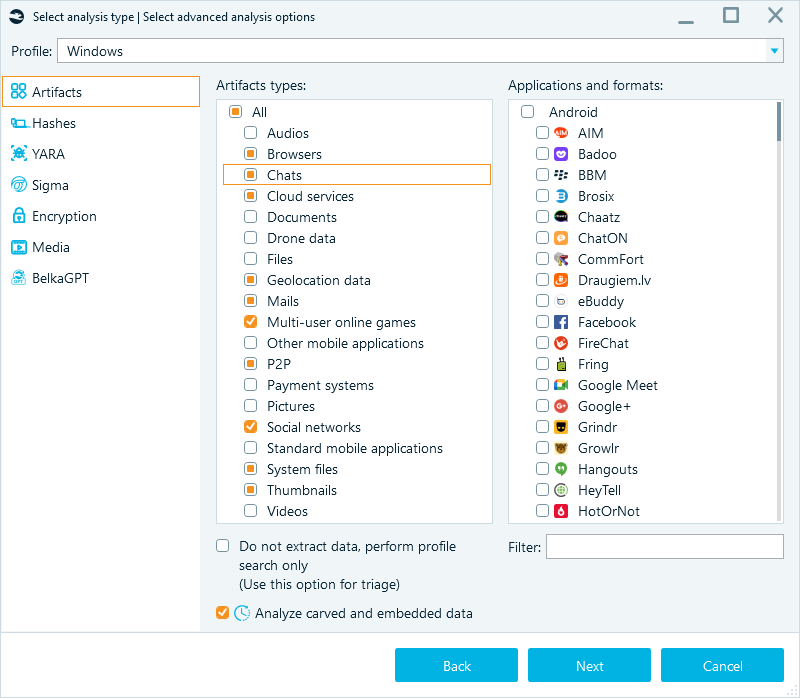
- Comprehensive source list: Extract data from computers, mobile devices, cloud services, drones, and cars, and analyze over 1500 artifact types out of the box.
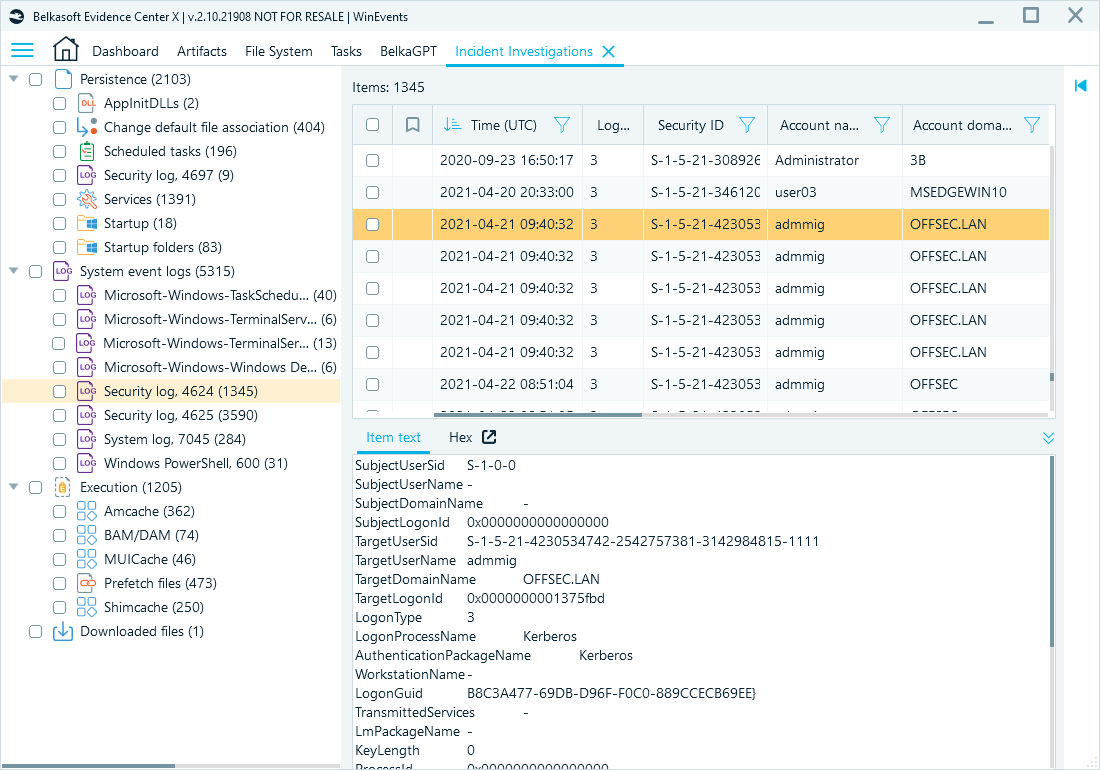
- Incident response features: Belkasoft X automatically parses artifacts associated with common intrusion techniques and persistence mechanisms, giving your team a solid foundation for cyber incident response.
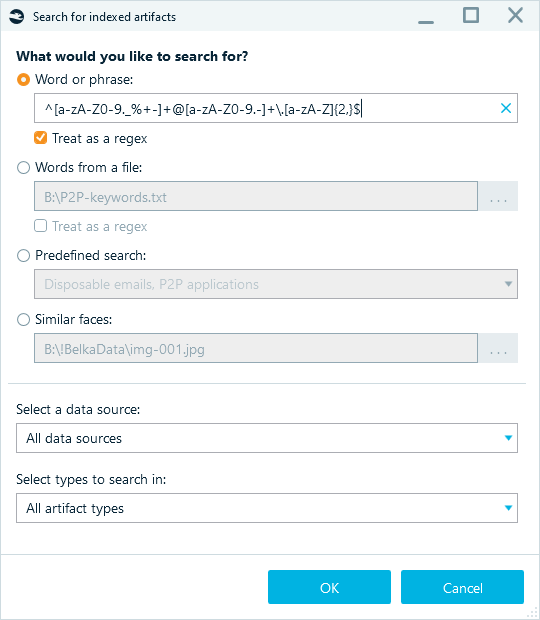
- Smart search: Quickly find indicators of compromise (IOCs) across massive datasets using advanced filters and regex, keyword lists, predefined search terms, and samples to search for similar faces throughout the entire case.
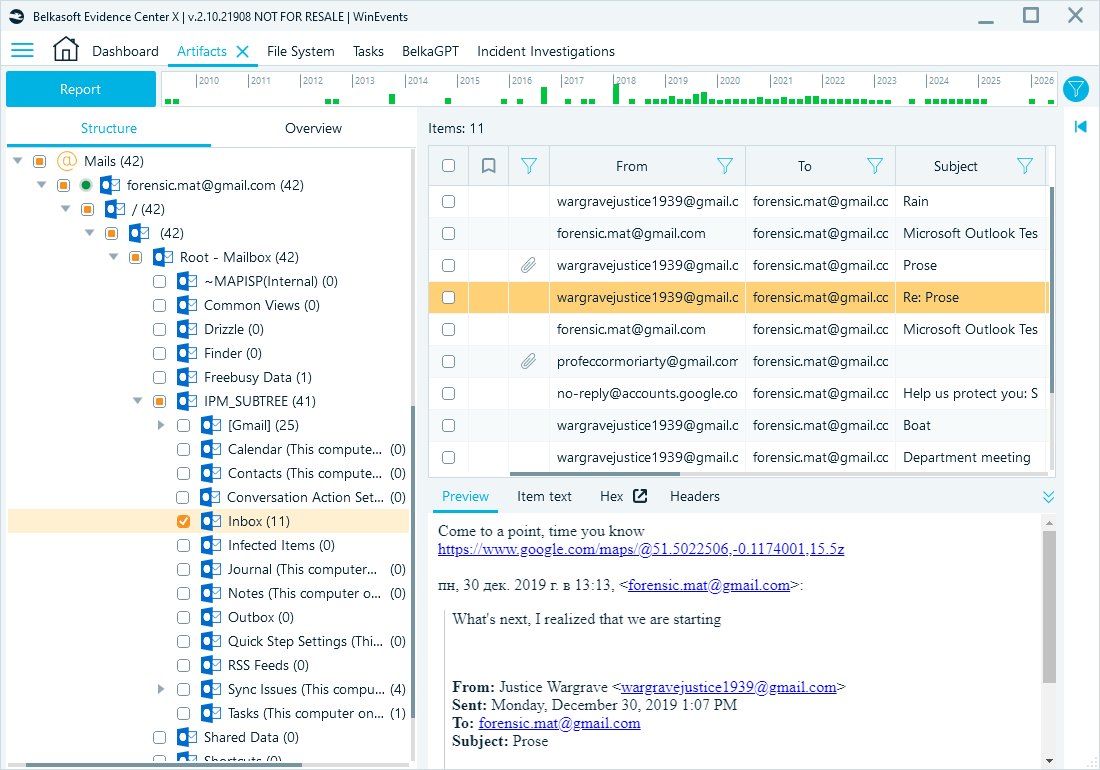
- Email extraction and analysis: Extract email content, metadata, and attachments from formats such as PST, OST, MBOX, Apple Mail databases, EML, and MSG. Filter messages by key fields and search for indicators of phishing or fraud, such as suspicious keywords, links, or language patterns.
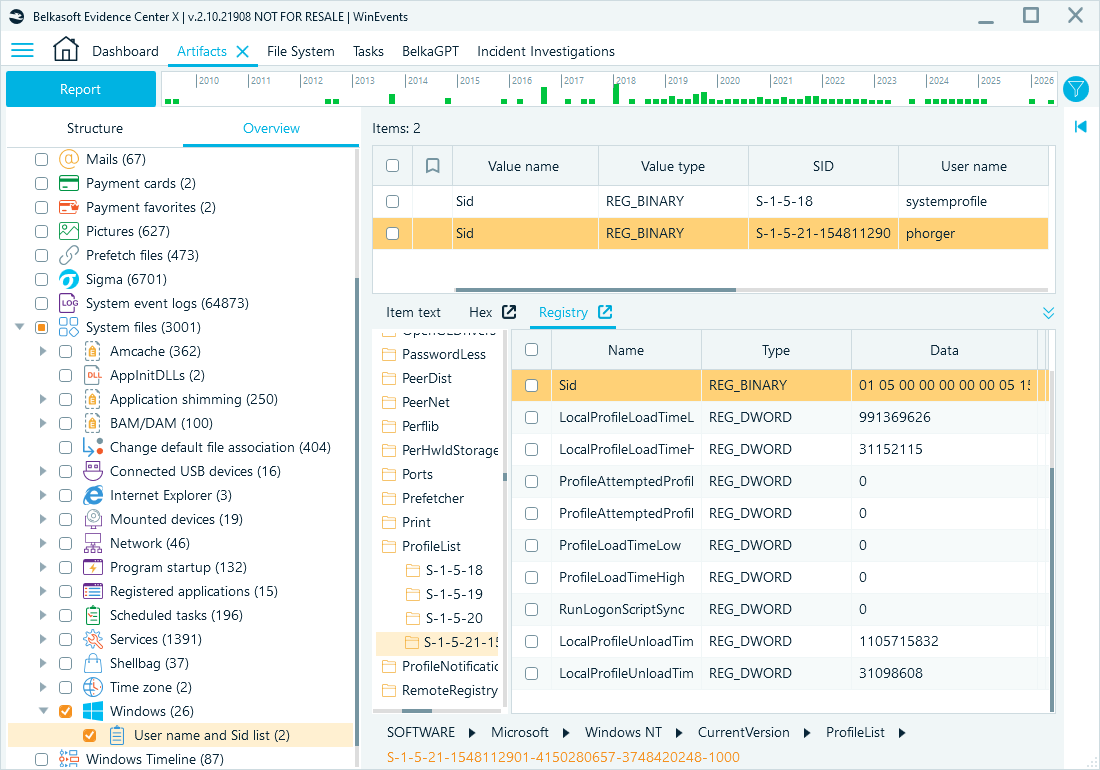
- Comprehensive toolset: When a case requires deeper validation, built-in viewers for File System, Hex, Plist, Registry, and SQLite data let investigators drill down into raw data without leaving the platform.
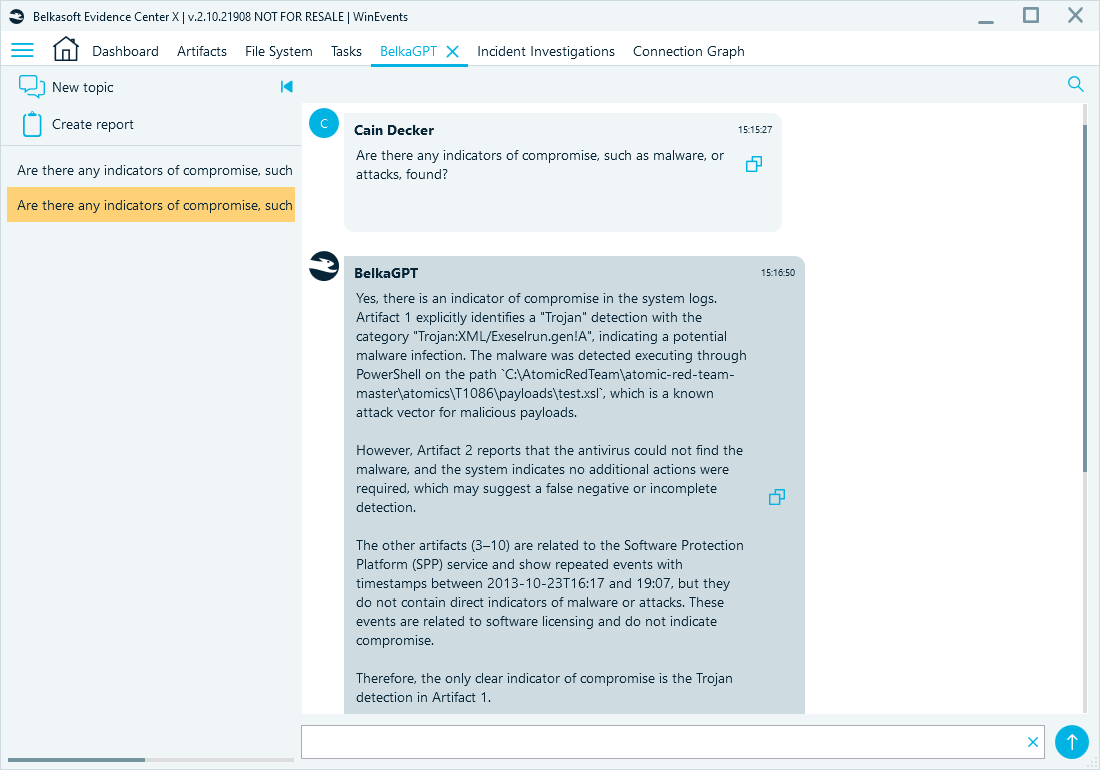
- BelkaGPT: BelkaGPT allows investigators to use natural language to query their evidence, summarize long chat threads, and identify indicators of compromise (IOCs) across massive datasets. Because it runs locally on the examiner's workstation, it provides the speed of modern LLMs without compromising the strict chain of custody or client privacy requirements. Unlike cloud-based AI tools that pose significant data leakage risks, BelkaGPT is an entirely offline AI assistant.
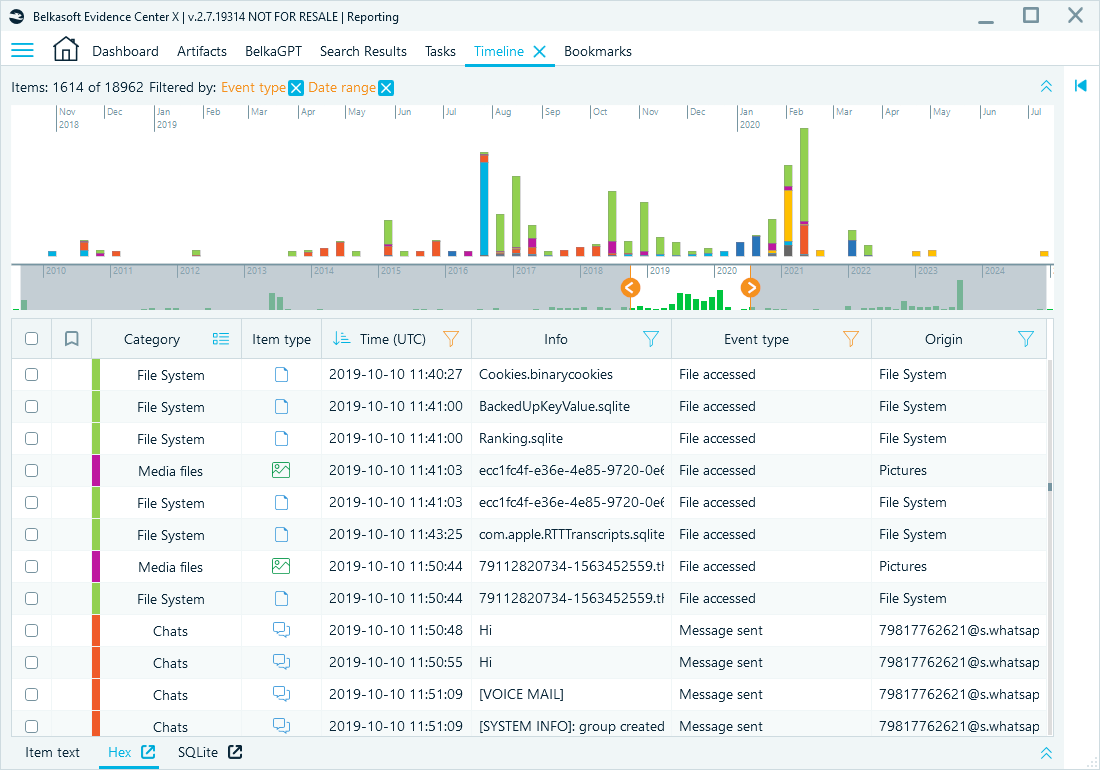
- Timeline: Automatically merges events from the file system, registry, browser history, and mobile apps into a single chronological view.
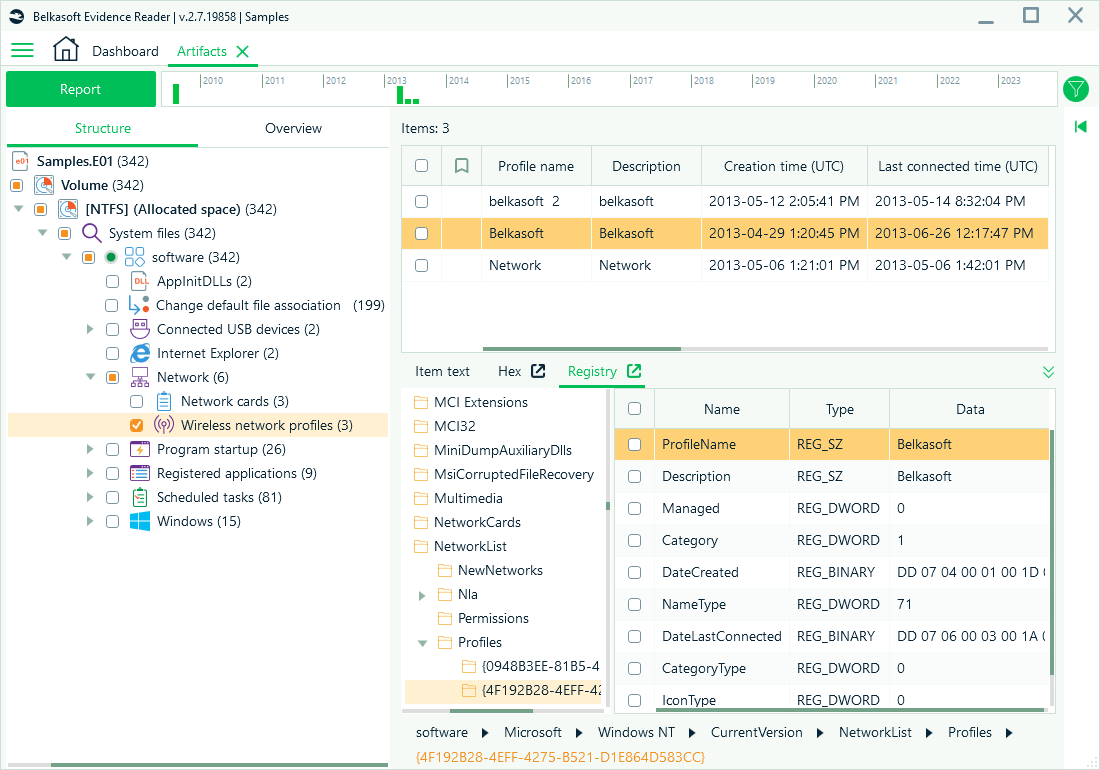
- Evidence Reader: Provide your clients with a free, read-only version of the case. They can review the evidence you have tagged, which speeds up the review and sign-off phases of your engagement.
Conclusion
For MSPs and small DFIR firms, the right digital forensic toolkit is what separates a reactive IT shop from a proactive security partner. Belkasoft X offers subscription options that scale to smaller teams and suit organizations with variable caseloads. A comprehensive, intuitive, and flexible solution lets you handle more cases, deliver better results, and grow your forensic practice without extensive investments in headcount.